
Android 8.0+ · Android WebView (Chromium) · v1.5.1 · MIT
Half-Browser / ハーフブラウザKeep the pages you trust
close at hand.
Half-Browser is a lightweight browser built on Android WebView (Chromium). For HTTPS pages signed with a self-signed certificate, you review the certificate details before choosing whether to trust it. HTTP authentication credentials are stored encrypted with Android Keystore and can be autofilled next time. No ads, no analytics, no accounts.
v1.5.1 reduces white flashes during page loading in dark mode, while keeping light mode unchanged.
- Requires
- Android 8.0 (API 26) or later
- UI language
- Japanese / English
- License
- MIT · Free
- Developer
- Yuki Orita (Yuki_Orita)
Move bookmarks and settings in one file.
Export bookmarks, settings, trusted certificates, site notifications and saved sign-ins to a single JSON file, then import it on another device (merge or replace). Passwords are optional and only ever passphrase-encrypted.
Find the page you saw before.
Records up to 500 visited pages with per-row delete and clear-all from the home screen. Re-visiting the same page within 30 minutes is merged into one entry.
Save form logins, too.
On https pages (including trusted self-signed sites) the menu can save the visible login form. Saved pairs fill empty fields next time and are never submitted automatically.
Give every bookmark the site's own face.
Fetches the favicon when you add a bookmark, normalises it to 192px and stores it on the device. The monogram is only a fallback, and you can refresh the icon from the long-press menu.
The input stays above the keyboard.
Focusing a field shrinks the page down to the top of the keyboard, so chat input bars are never buried.
What it does
Only what you need,
in a browser.
Half-Browser uses Android WebView for its page engine and keeps the everyday tasks simple: open a page, keep bookmarks, and check certificates. There are no ads or analytics, and you can adjust the look to suit you.
Open self-signed HTTPS pages after checking them.
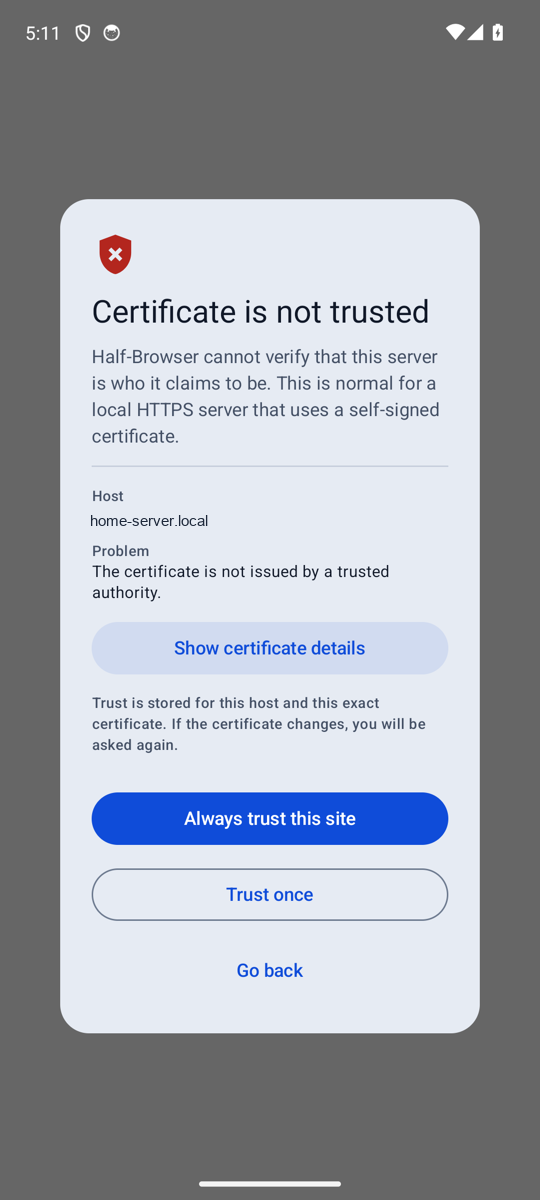
For pages such as a home LAN server that use a certificate not issued by a public authority, you can review the host, issuer, SHA-256 fingerprint, and expiry date, then choose "Trust once" or "Always trust this site".
HTTP authentication, stored encrypted and autofilled.
Basic and Digest credentials you enter can be saved and filled in automatically next time. They are encrypted with Android Keystore and EncryptedSharedPreferences and are excluded from Android backup.
Bookmarks as icon tiles.
Bookmarks appear as a grid on the home screen. Each tile has an offline-generated monogram icon. Long-press a tile to edit, delete, share, or add a launcher shortcut.
Receive external links as your default browser.
Choose Half-Browser as the default browser in Android settings and it receives links opened from other apps (there is no in-app default-browser button). If the URL is already bookmarked, it opens with a bar showing the bookmark name.
Accent colours and dark mode, your way.
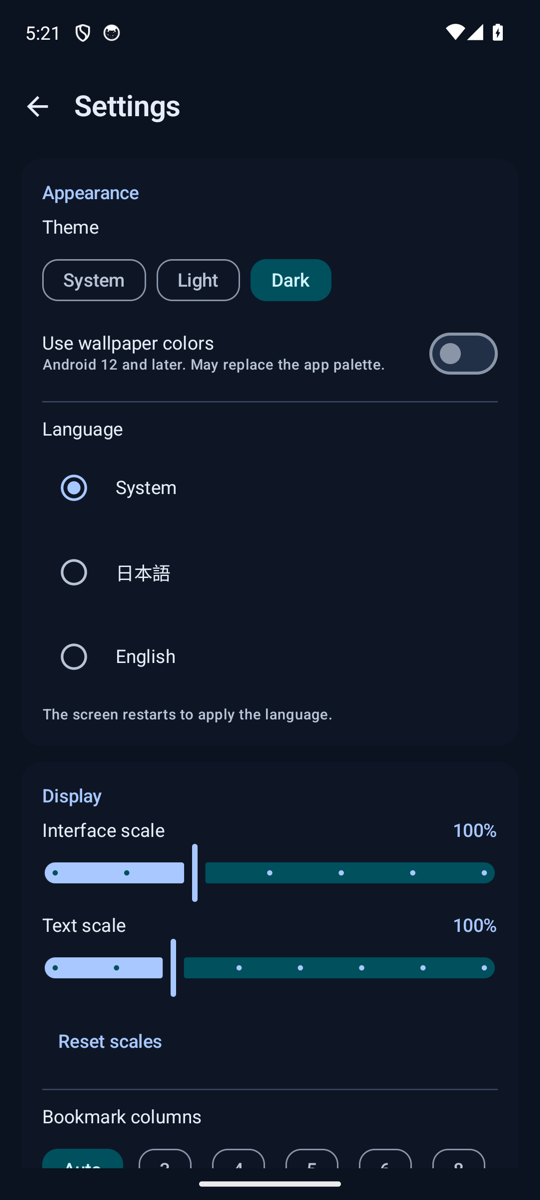
Adjust the accent with hue, saturation and brightness sliders plus eight presets. Text colours are chosen automatically to clear 4.5:1 contrast, and dark mode is true black with white text. Dynamic colour stays available on supported devices.
Comfortable on phones and tablets.
Adjust UI scale from 80% to 140% and text scale from 80% to 150%. Choose the grid column count: auto, 3, 4, 5, 6, or 8. Landscape is supported.
Self-signed HTTPS
Check the certificate,
then decide to trust it.
When a certificate is not trusted, Half-Browser explains why and gives you the details to inspect. The decision stays with you.
-
01
Read the warning
The host name and the reason the certificate is not trusted, such as not being issued by a public authority, are shown.
-
02
Review the details
Open "Show certificate details" to check the issuer, the SHA-256 fingerprint, and the expiry date.
-
03
Choose the scope
Pick "Trust once" or "Always trust this site". Trust is stored for the exact combination of host and certificate.
-
04
Asked again when it changes
If the certificate changes, you are asked again. You can revoke a trusted site at any time from Settings.
HTTP authentication
Credentials stay protected on your device.
HTTP authentication (Basic and Digest) usernames and passwords are saved in EncryptedSharedPreferences, encrypted with a key held in Android Keystore. Credentials are not saved over unencrypted HTTP.
You can delete saved credentials at any time from Settings. They are also excluded from Android backup.
Home and bookmarks
Arrange the pages you use
as tiles.
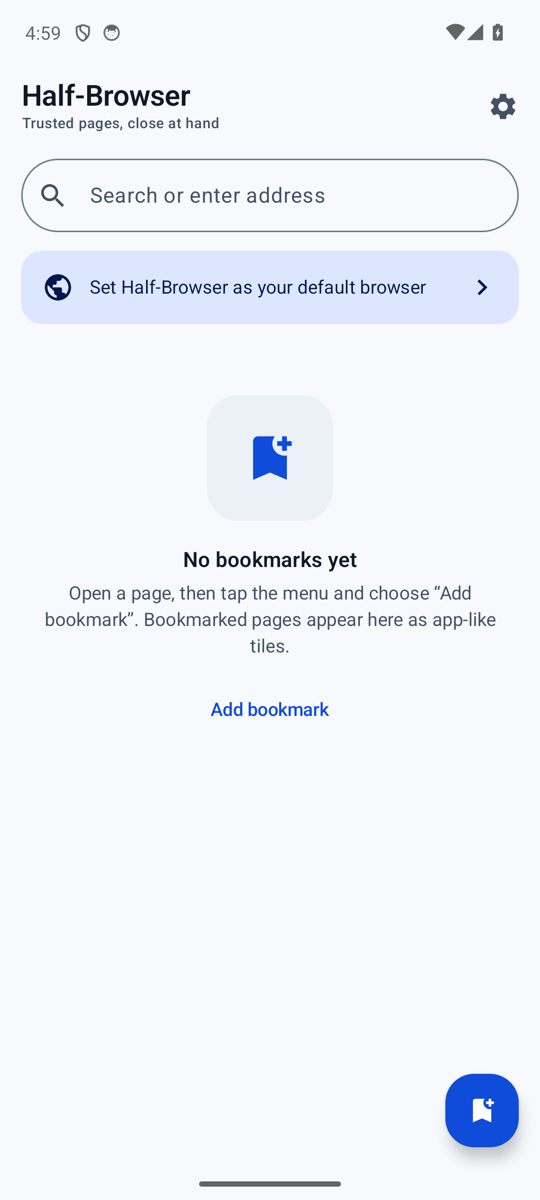
The home screen has a search field and a grid of bookmarks. Tap a tile to open the page, and long-press to organize.
- Icon tilesMonogram icons generated offline. Edit them to change the name and icon.
- Long-press actionsEdit, delete, add a home-screen shortcut, and share from one menu.
- Shortcut confirmationA confirmation step appears before a shortcut is added to the launcher.
- Grid columnsChoose auto, 3, 4, 5, 6, or 8 columns to suit the screen width.
Default browser
Set it as default
to receive links.
On Android, you choose the default browser in the system settings. Once Half-Browser is selected, it receives external links opened from other apps. If a URL is already bookmarked, it opens with a bar showing the bookmark name.
Display and language
Fits your screen,
and easy to read.
Works on phones, tablets, and in landscape. The home and settings screens are laid out to stay clear as you change the text and UI sizes.
-
Phone, portrait
The search field and bookmarks in order from the top, easy to use one-handed.
-
Phone, landscape
The bookmark grid and browsing screen both work in landscape.
-
Tablet
Bookmark tiles stay readable across the wider screen.
The UI is available in Japanese and English and follows your device language setting.
Get started
v1.5.1, from GitHub.
The Half-Browser source is published on GitHub. The latest release is available on GitHub Releases.
Open Releases- Open the repository at github.com/oriyu90/half-browser.
- Download the latest APK from Releases and install it on your Android device.
- To receive external links, choose Half-Browser as the default browser in Android settings.
- To build from source, clone the repository and open it in Android Studio.
Requires Android 8.0 (API 26) or later. Installing an APK outside the Play Store may require allowing installs from unknown sources.
Developer
Meet the person behind it.
Half-Browser is developed by Yuki Orita (折田悠希 / おりたゆき / Yuki_Orita). Send bug reports and requests on Discord, follow updates on X and the official site, and find the source and releases on GitHub.