ToneBASIC
Exposure, contrast, highlights, shadows, whites, blacks, vibrance, saturation, temperature and tint.
 Image Shot
v0.1.0
Android 16+ · Kotlin / Jetpack Compose · v0.1.0 · MIT
Image Shot is a non-destructive, offline-first photo editor for Android 16 and later. Exposure, white balance, tone curves, HSL, free-angle rotation, detail and local masks are all kept as instructions — the original file is never rewritten, so every change can be undone. Working name: Prism Photo.
What it does
What Image Shot stores is not a baked image but the steps that produced it. That means you can step back at any point, and rebuild the same look later — from the original or from an export.
Edits are recorded as instructions, not burned into the pixels. History is append-only and keeps the state at each step, so going back never costs quality. If the app is killed, reopen it and carry on.
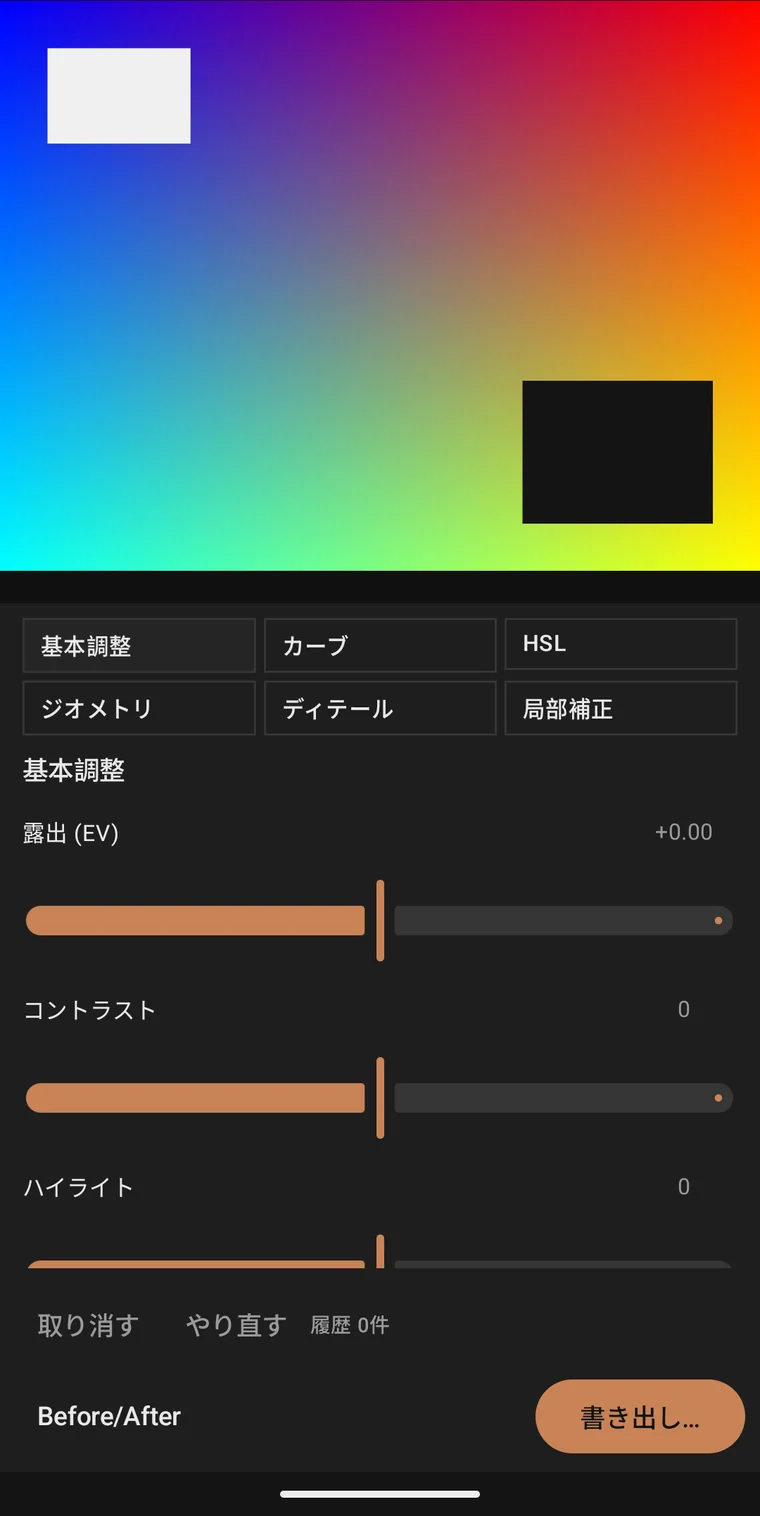
Exposure, contrast, highlights, shadows, whites, blacks, vibrance, saturation, temperature and tint. Every slider also accepts a typed value, so one look can be reproduced on another frame.
Shape tonality with master and R / G / B curves, then set hue, saturation and luminance for each of eight hue ranges — the sky's blue alone, or the reds in skin alone, without touching the rest.
Free-angle rotation up to ±45° with numeric entry, horizontal and vertical flips, and free crop. Rotation and cropping are separate, so the framing stays while the horizon gets fixed.
Sharpen and luminance noise reduction for the whole frame; linear, radial and brush masks with feather to move exposure or saturation only inside them. Stop before it starts to look overdone.
Choose the quality and the destination, and the export runs in the background. EXIF carries capture time and camera data across; location is stripped.
Six panels
Open only the panel you need while the preview stays in view. Every panel shows both how far you moved it and the number you moved it to.
Exposure, contrast, highlights, shadows, whites, blacks, vibrance, saturation, temperature and tint.
Master and R / G / B tone curves. Place a point and move the lift and the roll-off directly.
Hue, saturation and luminance for each of eight hue ranges.
Free-angle rotation up to ±45°, horizontal and vertical flips, and free crop.
Sharpening and luminance noise reduction, handled as separate controls.
Linear, radial and brush masks. Feather the edge, then adjust only what is inside.
Flow
Pick a photo and the editor opens. Check the result in the preview, move the values in the panels — undo, redo and the history count stay at the bottom of the screen.
Bring in several photos from the photo picker, or choose a file or folder through SAF.
Work through the six panels in order — tone, colour, tonality, geometry, local — with values you can also type.
Check before and after, then step back through the history as far as you need.
Pick JPEG or PNG, set the quality and the destination. The original is left alone.
Layout
On a phone held upright the panels sit under the preview; in landscape they move beside it. From 840dp up, tablets switch to two panes and keep the photo large while you adjust.
Panels below the preview, within reach of one hand.
Preview and panels side by side, photo kept large.
Two panes from 840dp, with the preview kept on screen.
Privacy
Image Shot does not declare the INTERNET permission. There is no upload feature and no path that sends a photo out for analysis — every edit happens on the device.
It does not ask for broad storage access either: reading and saving go through Android's photo picker and SAF (Storage Access Framework). Originals are never rewritten, and an exported JPEG or PNG carries no location data.
Get started
The source for Image Shot is public on GitHub. Version 0.1.0 is distributed as a signed APK on GitHub Releases.
Open GitHub Releases./gradlew :app:assembleDebug.Requires Android 16 (API 36) or later. Photos are read through the Android photo picker and SAF.
APK SHA-256a099702a7d9e1f94f821b3fa9076f4631e493d0060effa03f33b3dd377895f83
Signing certificate SHA-256F3:BB:FF:8B:88:DB:7D:BA:47:84:2E:6A:30:2B:DB:A4:
FA:1B:A8:3F:BB:0E:98:FE:6D:AD:C9:25:14:5C:37:36
Developer
Built by Yuki Orita (折田悠希 / おりたゆき). Bug reports and requests go to Discord; day-to-day notes live on X and the official site. Source and releases are on GitHub.