Touchpad mapping
Three-finger tap for Task View, three-finger scroll for virtual desktops, and more. Includes a finger-count meter.
↘ win-plus
Windows 10 / 11 · tray resident utility
win-plus packs touchpad mapping, input-device recognition, custom shortcuts, screenshots, and a quick memo into one lightweight resident app.
Windows 10 1809+ / 11 · x64/x86 · MIT License
 v1.1.0
FIVE JOBS, ONE TRAY ICON
Everything is GUI-configurable. After launch it lives in the tray, idling at 0% CPU and about 50 MB.
Three-finger tap for Task View, three-finger scroll for virtual desktops, and more. Includes a finger-count meter.
↘Lists connected devices by real name and bus (USB/Bluetooth/internal). Per-device key rules included.
↘32 presets (media keys, volume, Win+D…) plus free input. Click a field and press the keys to register.
↘Multiple profiles, full/window/region capture, per-profile folders, drag & drop from the preview. QR links in frame are listed for one-tap opening.
↘A tiny popup on one hotkey. Auto-closes in 6 seconds, survives reboots. Paste becomes plain text; images only.
↘THE REAL APPLICATION
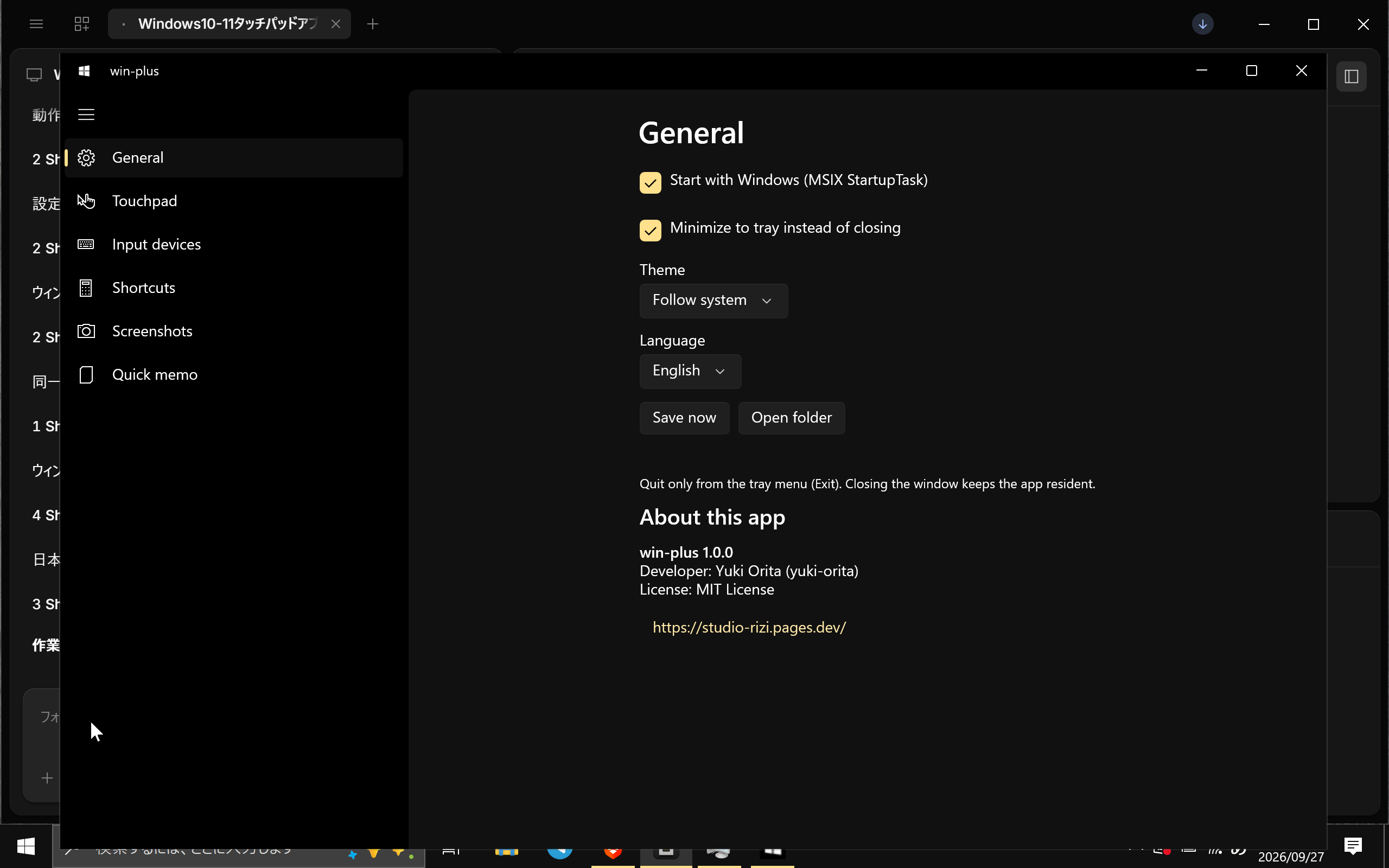
Attached real screen. Left nav plus settings cards operate every feature from the GUI. 7-language UI.
DOWNLOAD FOR WINDOWS
The current installer is v1.1.0. Sources and README are the same v1.1.0.
Get the MSIX from Releases
Trust the certificate (Trusted People)
Open the MSIX
Launch the app